
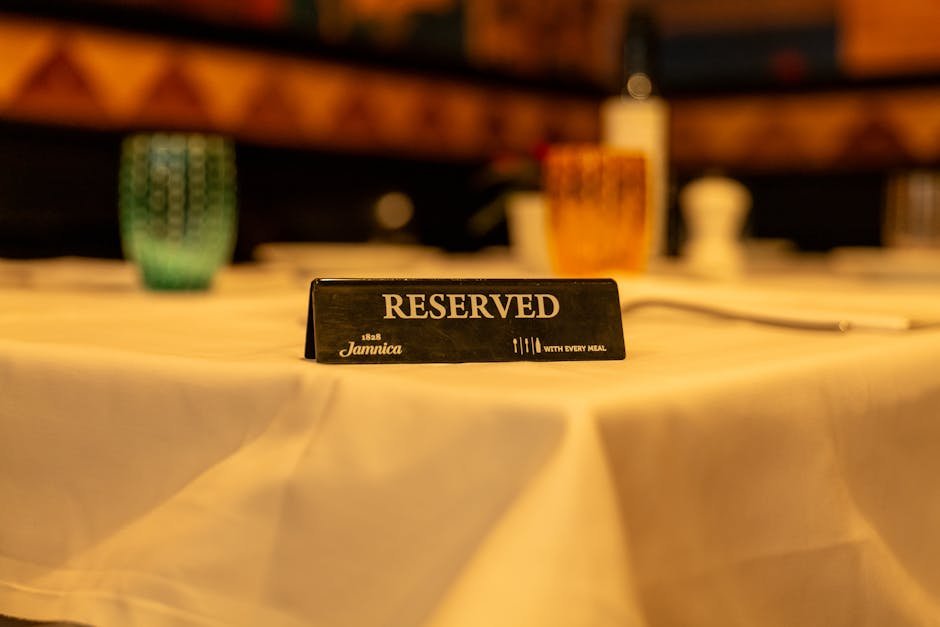
10 Best WordPress Restaurant Reservation Plugins for 2026 (Free & Pro)
Dreaming of a seamless booking system for your restaurant? Navigating the world of WordPress plugins can feel like a culinary adventure itself. We’ve sifted through the options to bring you the crème de la crème of reservation plugins. These tools aim to streamline your operations and enhance the dining experience for your guests.
Finding the right plugin can truly transform how you manage reservations, from walk-ins to special events. You want something that’s easy for your staff to use and provides a pleasant experience for your customers when they book a table. Let’s dive into some of the top contenders that can help you achieve just that.
Bookingor Plugin Features
Bookingor is a solid choice for restaurants that need a robust reservation system without getting bogged down in complexity. It’s designed to make the booking process straightforward for both your customers and your team. You get a system that handles the essentials efficiently, allowing you to focus more on your food and service.
Key Features
- Customizable Booking Forms: You can tailor the booking forms to capture exactly the information you need, whether it’s dietary restrictions or special occasion details. This level of personalization makes each booking feel more thoughtful.
- Availability Management: Easily set your opening hours, capacity limits, and even block out specific dates or times. This ensures you never overbook and can manage your restaurant’s flow effectively.
- Email Notifications: Automated email confirmations and reminders are sent to both you and your customers. This cuts down on no-shows and keeps everyone informed about their booking status.
- Restaurant-Specific Settings: It allows you to define table availability based on party size and duration, which is crucial for optimizing seating arrangements and maximizing revenue.
- Calendar Integration: Sync your reservations with popular calendar applications, so all your bookings are in one place. This prevents double-bookings and makes scheduling much simpler to manage.
Best For
This plugin is best for restaurants looking for a feature-rich, yet user-friendly reservation system. It handles core booking needs with efficiency and offers enough customization to adapt to most restaurant styles. You can manage bookings directly from your WordPress dashboard without a steep learning curve.
Why Choose Bookingor
You should consider Bookingor if you want a dependable plugin that offers essential reservation management features. It balances functionality with ease of use, making it a practical choice for busy restaurant owners. You won’t find yourself overwhelmed by options, but you’ll have everything you need to manage bookings effectively.
The system’s ability to handle custom fields means you can collect specific guest preferences, which adds a nice personal touch. This kind of detail can really make a difference in how guests perceive your establishment. It’s all about making that initial booking experience as smooth and informative as possible.
Best for
Restaurant operations
Restaurant Reservations Pro
Restaurant Reservations Pro is a powerful plugin that offers advanced features for managing bookings, making it a strong contender for restaurants with higher volume or more complex needs. It’s designed to integrate seamlessly into your website and provide a comprehensive booking experience for your patrons.
Key Features
- Real-time Availability: Customers can see exactly what times are available for booking, preventing frustrating back-and-forth communication. This clarity is a huge plus for guest satisfaction.
- Customizable Booking Rules: Set specific rules for different days or times, such as minimum booking durations or maximum party sizes. This helps you manage your capacity precisely.
- Guest Management: Keep track of customer details, past reservations, and preferences for future bookings. Building a customer database is invaluable for targeted marketing.
- Discount Codes: You can easily create and manage discount codes to offer special promotions and encourage bookings. This is a great way to drive sales during slower periods.
- POS Integration (Optional Add-on): For a more integrated workflow, there are options to connect with popular point-of-sale systems. This can streamline operations significantly if you have the right setup.
Best For
This plugin shines for restaurants that need sophisticated control over their booking process and value detailed guest management. It’s ideal for establishments that want to leverage their reservation system for marketing and operational efficiency.
Why Choose Restaurant Reservations Pro
If you’re looking for a plugin that gives you granular control over every aspect of your reservations, this is a strong candidate. You can set up complex rules and utilize customer data to enhance your service. It’s a tool that grows with your business, offering more as your needs evolve.
The ability to set up custom booking rules means you can adapt the system to very specific operational requirements. For example, you might have certain tables only available for larger groups or require a minimum spend during peak hours. This plugin allows for that kind of fine-tuning.
Best for
Detailed control
Five Star Restaurant Reservations
Five Star Restaurant Reservations is a plugin that aims to provide a premium booking experience, focusing on elegance and ease of use. It’s designed to look good on any website and offer a smooth, professional booking process for your guests. You get a plugin that feels polished and works reliably.
Key Features
- Elegant Booking Interface: The plugin offers a clean, modern interface that enhances your restaurant’s visual appeal. First impressions matter, and this plugin helps create a good one.
- Flexible Time Slot Management: You can define specific time slots for bookings, ensuring an orderly flow of customers throughout the day. This prevents rush periods from becoming overwhelming.
- Email & SMS Notifications: Keep your guests informed with automated email and SMS notifications for confirmations and reminders. This is a crucial step in reducing no-shows.
- Table Management: Basic table management features allow you to assign bookings to specific tables, helping your staff manage seating efficiently. It’s a practical feature for day-to-day operations.
- Customizable Fields: Add custom fields to your booking form to gather specific guest information. This allows for a more personalized service from the moment of booking.
Best For
This plugin is ideal for restaurants that prioritize a visually appealing and user-friendly booking experience. It’s a great fit for establishments that want a professional-looking reservation system without sacrificing functionality.
Why Choose Five Star Restaurant Reservations
Opt for Five Star Restaurant Reservations if you want a plugin that combines aesthetic appeal with practical booking features. It’s straightforward to set up and manage, and it presents a polished image to your customers. You get a reliable system that makes booking a pleasure.
The attention to design means your booking form won’t look out of place on a sophisticated website. It helps maintain your brand’s high-quality image right from the first interaction a customer has with your reservation system. This attention to detail matters a great deal.
Best for
Professional appearance
Advanced Restaurant Reservations
Advanced Restaurant Reservations is a plugin that lives up to its name by offering a comprehensive set of tools for managing restaurant bookings. It’s designed for businesses that require deep control and extensive customization options. This plugin provides a robust framework for handling all your reservation needs.
Key Features
- Sophisticated Availability Control: Manage availability with intricate details, including setting specific hours, days, and even customizing capacities for different times. You can really fine-tune when you accept bookings.
- Guest Preferences Tracking: Record and manage guest preferences and history, allowing for a more personalized service on subsequent visits. Remembering guest likes is a mark of good hospitality.
- Customizable Booking Forms: Build booking forms that gather precisely the information you need, from dietary restrictions to occasion details. This makes every reservation feel more tailored.
- Multi-Restaurant Support: If you manage multiple locations, this plugin can help organize reservations across different branches from a single dashboard. This is a huge time-saver for multi-location owners.
- Email & SMS Alerts: Automate confirmations and reminders via email and SMS to reduce no-shows and keep guests informed. This keeps everyone on the same page regarding their booking.
Best For
This plugin is excellent for restaurants needing extensive customization and control over their booking process. It’s a great choice for larger establishments or those with complex operational needs that require detailed management.
Why Choose Advanced Restaurant Reservations
Select Advanced Restaurant Reservations when you need a powerful and flexible system that can handle a wide range of scenarios. It offers the depth of features required to manage bookings efficiently, even in demanding environments. You gain a high degree of control over your reservation workflow.
The ability to track guest history and preferences is a significant advantage for building customer loyalty. It allows your staff to anticipate needs and offer a more bespoke dining experience, making guests feel truly valued and understood.
Best for
Complex needs
WP Restaurant Manager
WP Restaurant Manager is a versatile plugin that extends beyond just reservations to offer a full suite of restaurant management tools, including online ordering. While it’s comprehensive, its reservation features are robust and well-integrated. You get a system that can handle much of your front-of-house operations.
Key Features
- Integrated Reservation System: Seamlessly manage table bookings directly within the plugin, alongside your ordering system. This consolidation simplifies management considerably.
- Menu Management: Create and manage your restaurant’s menu, which can be displayed online and linked to ordering. A well-presented menu is key to enticing customers.
- Order Management: Handle online orders efficiently with status updates and notifications. Streamlined order processing is vital for customer satisfaction.
- Customizable Booking Forms: Adapt the booking forms to collect specific details from your guests, ensuring you have all necessary information. Personalization enhances the guest experience.
- Discount and Coupon System: Offer promotions and special deals to attract more customers and drive sales. Marketing incentives can significantly boost business.
Best For
This plugin is best for restaurants that want an all-in-one management system, combining reservations with online ordering and menu management. It’s a strong choice for businesses looking to centralize their digital operations.
Why Choose WP Restaurant Manager
Choose WP Restaurant Manager if you’re looking for a single plugin to handle multiple aspects of your restaurant’s online presence, especially reservations and ordering. It offers a unified platform that can streamline many daily tasks. You get a lot of functionality packed into one tool.
The advantage of having reservations and online ordering within the same system is immense. It means less integration hassle and a more consistent experience for both your staff and your customers. It truly offers a holistic approach to digital restaurant management.
Best for
All-in-one management
Orderable
Orderable is a modern plugin that excels in providing a streamlined experience for both online ordering and reservations. It’s built with a focus on simplicity and efficiency, making it easy for customers to interact with your restaurant online. You get a clean, modern interface that works well.
Key Features
- Integrated Reservation & Ordering: Seamlessly combine table bookings with the ability for customers to place online orders. This offers a comprehensive digital service.
- Flexible Time Slots: Configure your reservation slots to match your operating hours and capacity, ensuring smooth service. You can easily adjust availability as needed.
- Customizable Forms: Tailor booking forms to collect specific guest information, such as dietary needs or special requests. This helps you prepare for guest arrivals.
- Real-time Updates: Manage reservations and orders with real-time updates directly within your WordPress dashboard. Staying informed is key to efficient operations.
- Customer Accounts: Customers can create accounts to speed up future orders and reservations, and track their history. This fosters loyalty and convenience.
Best For
Orderable is ideal for restaurants prioritizing a unified system for both online ordering and reservations. It’s a great choice for businesses that want a modern, user-friendly interface for their customers.
Why Choose Orderable
Consider Orderable if you’re looking for a plugin that offers a clean, integrated experience for both taking reservations and fulfilling online orders. Its focus on user experience means your customers will find it easy and pleasant to use. You gain a powerful tool that simplifies your digital operations.
The combined functionality for ordering and reservations reduces the need for multiple plugins, saving you time and potential compatibility issues. It provides a cohesive digital storefront for your restaurant’s offerings.
Best for
Unified ordering reservations
Five Star Restaurant Reservations (Free)
For those starting out or on a tighter budget, the free version of Five Star Restaurant Reservations offers a surprisingly robust set of features. It provides essential reservation management tools without costing a dime, making it an accessible option for many businesses. You get core functionality that works well.
Key Features
- Basic Booking Form: A straightforward booking form that captures essential customer and reservation details. It’s designed to be simple and effective.
- Email Confirmations: Automated email confirmations are sent to both the restaurant and the customer. This ensures everyone is on the same page about the booking.
- Date & Time Selection: Customers can easily select their preferred date and time for a reservation. This straightforward selection process is crucial for a good user experience.
- Limited Customization: While not as extensive as the pro version, you can still make basic adjustments to the form fields. This allows for some level of personalization.
- Reliable Performance: The free version is known for its stability and reliable performance for core reservation tasks. It does its job without unnecessary fuss.
Best For
This plugin is perfect for small to medium-sized restaurants or those new to online reservations who need a reliable, free option. It’s a great way to test the waters of digital booking management.
Why Choose Five Star Restaurant Reservations (Free)
You should choose the free version of Five Star Restaurant Reservations if you need a dependable reservation system without any upfront cost. It provides the fundamental features required to manage bookings efficiently. It’s a sensible starting point for many businesses.
It’s a testament to good plugin development that you can get such reliable core functionality for free. This version allows you to implement a professional booking process and gauge its impact on your business before considering an upgrade.
Best for
Budget-conscious starters
WPHotelBooking
While its name suggests a focus on hotels, WPHotelBooking is surprisingly adaptable and can be configured for restaurant reservations. Its strength lies in its flexibility and ability to handle various booking scenarios, making it a unique option. You can mold it to fit your specific restaurant needs.
Key Features
- Flexible Booking Options: It supports various booking types, which can be adapted for restaurant table reservations, event bookings, or private dining. The adaptability is its key advantage.
- Customizable Fields: Add custom fields to your booking forms to gather specific details relevant to restaurant guests. This ensures you collect the right information.
- Email Notifications: Automated emails can be set up for booking confirmations and reminders, helping to reduce no-shows. Communication is key to a smooth booking process.
- Calendar View: A visual calendar helps you manage your bookings at a glance, providing an overview of your availability. This makes scheduling much easier.
- Multi-language Support: If your clientele is international, the multi-language feature can be a significant benefit. It ensures all guests can book comfortably.
Best For
This plugin is best for restaurants that need a highly customizable booking system and are willing to configure it for their specific needs. It’s a good choice for unique or niche reservation requirements that standard plugins might not accommodate.
Why Choose WPHotelBooking
Consider WPHotelBooking if you have a specific or unusual booking setup that requires a flexible system. Its adaptability means you can likely make it work for your restaurant, even if it wasn’t its primary intended use. You get a highly configurable tool that can be shaped to your requirements.
The ability to add custom fields and manage different booking types is where this plugin truly shines for creative implementations. It allows you to build a reservation system that precisely matches your restaurant’s unique operational style.
Best for
Flexible adaptation
Calendar Schedulling Plugin
The Calendar Scheduling Plugin, often found in various forms, focuses on providing a straightforward calendar interface for managing appointments and bookings. Its simplicity makes it appealing for restaurants that want a clean, visual way to handle reservations. You get a clear, date-driven booking system.
Key Features
- Visual Calendar Interface: Offers a clear, visual representation of available dates and times for booking. Seeing your schedule laid out makes planning much simpler.
- Easy Availability Setup: Configure your booking availability quickly and efficiently through the calendar. Adjusting your schedule is typically a simple drag-and-drop process.
- Customizable Booking Slots: Define specific time slots or durations for reservations to match your restaurant’s flow. This helps manage customer traffic effectively.
- Basic Notification System: Some versions include basic email notifications for booking confirmations. This ensures both you and your guests receive confirmation.
- User-Friendly Design: The interface is generally designed to be user-friendly for both administrators and customers. This ease of use is a major plus.
Best For
This plugin type is best for restaurants that prefer a visual, calendar-based approach to managing their reservations. It’s a good fit for businesses that value simplicity and a clear overview of their bookings.
Why Choose Calendar Schedulling Plugin
You should look into this type of plugin if you find managing appointments through a visual calendar to be the most effective method for your restaurant. Its straightforward nature means less time spent learning complex features and more time focusing on your guests. It offers a direct way to handle bookings.
The visual aspect of a calendar can be incredibly helpful for spotting busy periods or available slots at a glance. This clarity can greatly assist in managing your restaurant’s capacity and staffing needs more effectively.
Best for
Visual scheduling
Restaurant Reservations
Restaurant Reservations is a straightforward and effective plugin designed specifically for managing restaurant bookings. It focuses on providing the essential features needed to take reservations without overwhelming users with too many options. You get a reliable tool that does its job well.
Key Features
- Simple Booking Form: A clean and user-friendly booking form that allows customers to easily select their desired date and time. The simplicity here is a major benefit for quick bookings.
- Availability Management: Easily set your restaurant’s operating hours and capacity to ensure you don’t overbook tables. This basic control is crucial for smooth operations.
- Email Notifications: Automated email confirmations are sent to both you and your customers upon successful booking. This keeps everyone informed and reduces confusion.
- Customizable Settings: You can adjust basic settings to better fit your restaurant’s needs, such as defining the duration of a reservation. This allows for some personalization.
- WordPress Integration: It integrates seamlessly with your WordPress site, appearing as a natural part of your website. This provides a cohesive user experience.
Best For
This plugin is an excellent choice for small to medium-sized restaurants looking for a no-fuss, reliable reservation system. It’s perfect for businesses that need core functionality without complexity.
Why Choose Restaurant Reservations
Consider Restaurant Reservations if you want a plugin that is easy to set up and manage, offering the fundamental features for taking bookings. It’s a solid option that prioritizes functionality and a smooth user experience for your guests. You get a dependable system that works.
Its strength lies in its simplicity and direct approach to reservation management. This focus means you can get it up and running quickly and start accepting bookings without a steep learning curve.
Best for
Essential bookings

